Optimizing Document Search for Ergonomists
Improving how ergonomists find, interpret, and act on employee documentation through usability testing and research
- role
- UX Research Intern
- team
- 2 UX Designers, UX Researcher, 2 UX Interns, 3 Developers
- methods
- Usability Testing, Think-Aloud Protocol, Dovetail, Affinity Mapping
- timeline
- June 2025 - August 2025
overview
Risk and Safety Solutions
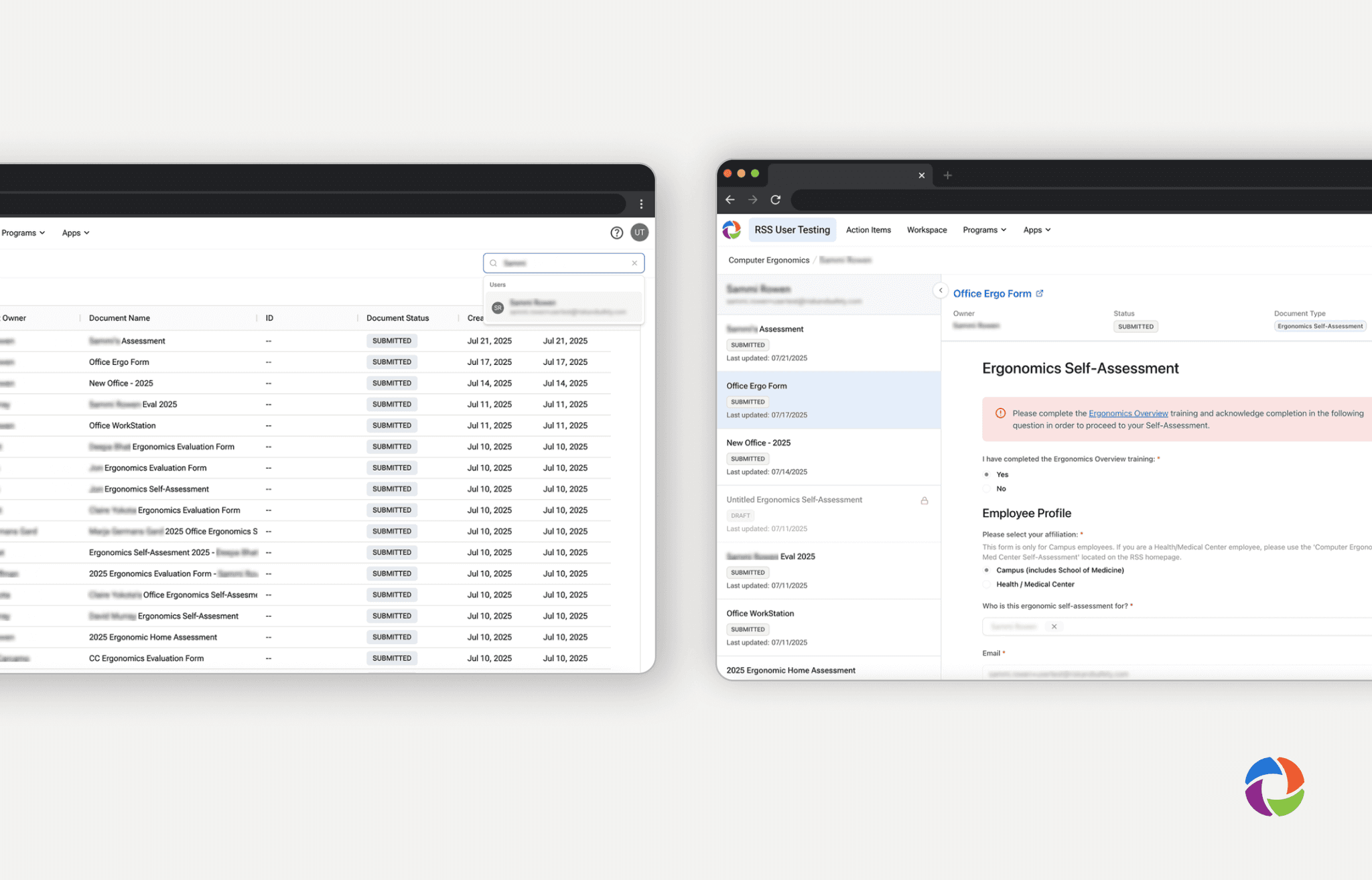
Risk & Safety Solutions (RSS) manages hazard prevention software for university research labs and workplaces. University ergonomists rely on a massive repository of employee self-assessments, professional evaluations, and equipment requests to make daily safety recommendations.
The challenge of quickly accessing key information
10,000+
university employees supported per month
45 - 50
requests per month
Self-assessments and evaluations for the same employee lived in different places, with no centralized or summarized view of a person's history. As one internal pain point put it plainly: the workflow wasn't streamlined, and accessing data in multiple places was inconvenient. That led to two guiding questions for the redesign and research.
How might we provide a centralized, summarized view of an employee and the documents associated with them?
How might we create a flexible, efficient way for admins to find, organize, and view relevant employee data?
My impact
- Ran usability testing with 6 ergonomists
- Uncovered three specific breakdowns in the new search and document experience, and delivered recommendations that RSS implemented
- Made search more discoverable, added document-type metadata to cards, and increased the visibility of the AI Assistant, which 83% of participants couldn't find without guidance
testing plan
Moderated usability testing to see if ergonomists could trust a system they'd never used
Developers created a MVP to test. Because feature set was unfamiliar to our ergonomist user base, their feedback was essential to refining it before release. I defined a research goal and a set of usability and utility questions to guide testing.
research goal for usability testing
Evaluate how efficiently and effectively the prototype features allow ergonomists to locate relevant self-assessment data, form decisions, communicate findings, and take appropriate action.
What I was testing for
- Did the features and navigation match how ergonomists already work?
- Could ergonomists locate what they needed, discover supporting tools like the AI Assistant, and move confidently between search and results?
Participant Recruitment
8 ergonomists from UC and CSU campuses took part in moderated usability sessions, representing a range of campus contexts and experience levels with the platform.
testing tasks
Three tasks, one realistic scenario
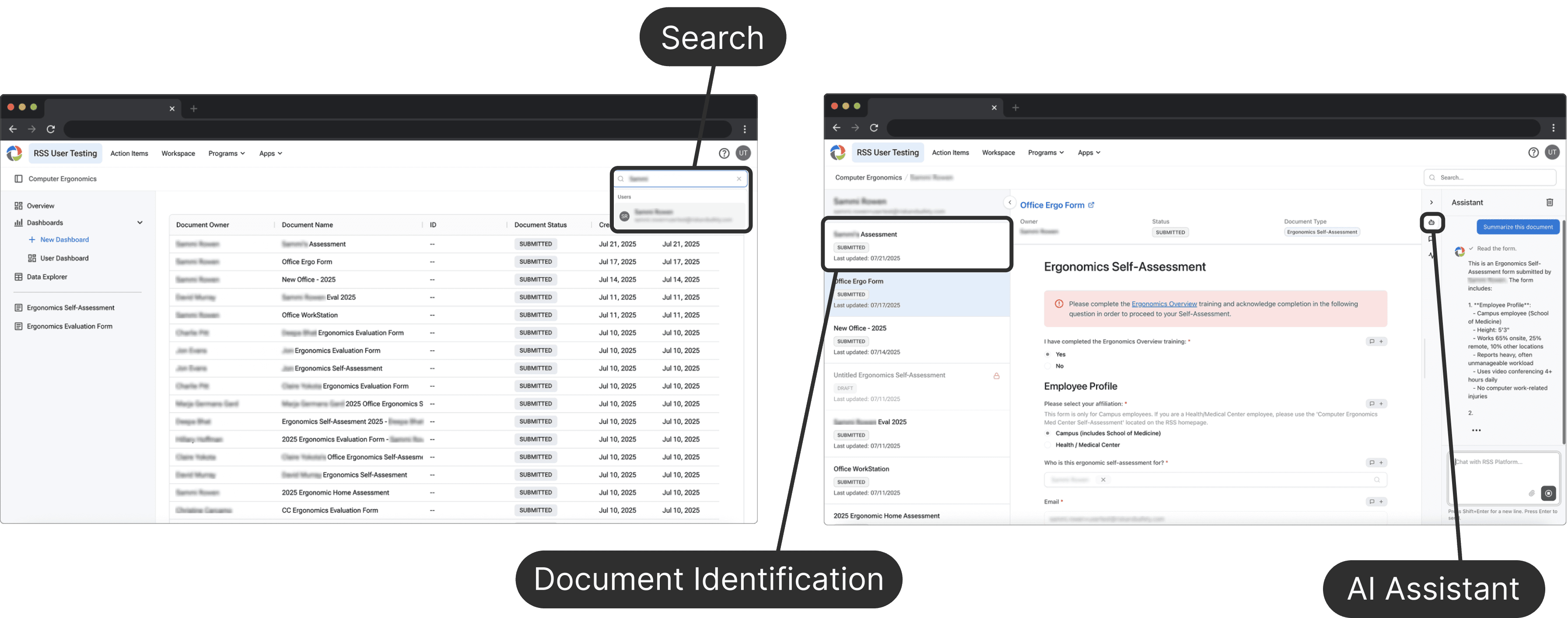
Using a think-aloud protocol, I asked participants to complete tasks based on a single scenario: S.R., a long-term employee with a prior ergonomics evaluation, had recently requested additional support.
DISCLAIMER: All user data shown is test data. Some sections are blurred, such as document owners, to protect the privacy of team members whose names and emails were used to generate the test data.
Search
Document Identification
AI Assistant
analysis & synthesis
Turning six sessions of talk and behavior into patterns
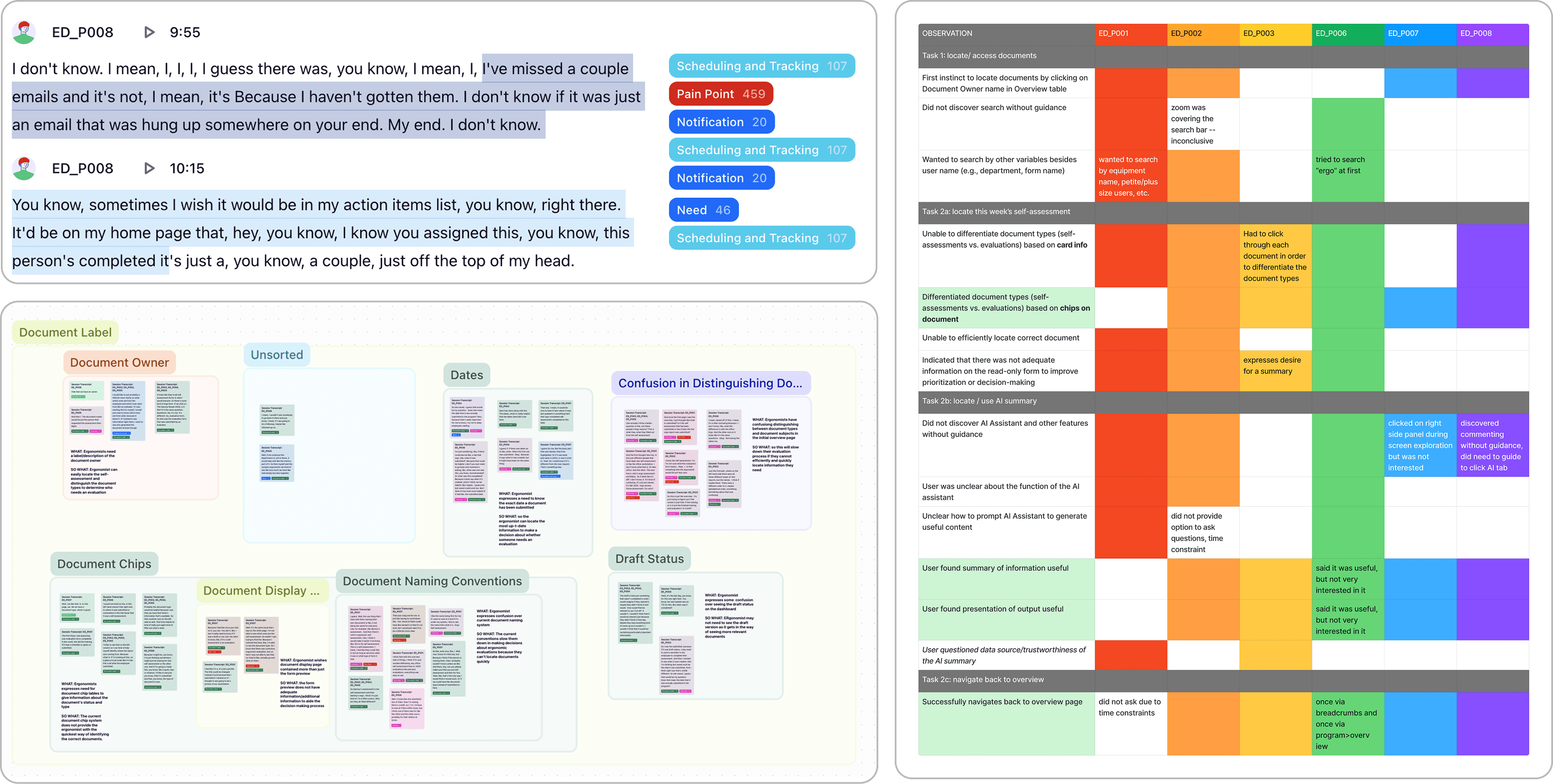
I coded session recordings and transcripts in Dovetail using a tagging taxonomy built for this study, then affinity-mapped the coded observations and built a rainbow chart to compare behavior across participants and tasks.
findings
Three breakdowns, one shared root cause
Every finding below traced back to the same gap: ergonomists needed a fast, confident path from raw documents to a decision, and the current design wasn't giving them one.
Search wasn’t where participants expected it to be
4/6 participants overlooked the search bar entirely, instead trying to sort the table or click directly on an employee’s name. Recommended increasing its visual prominence and clarifying what it could search by, including exploring boolean or advanced search for power users.
Document cards didn’t give ergonomists enough to make a fast decision
3/6 participants struggled to tell self-assessments apart from evaluations, and weren’t sure whether the date shown reflected when a document was actually submitted to the program, a detail that mattered for time-sensitive follow-ups. Recommended adding a clear document-type chip and a clearly labeled submission date directly to each card.
The AI Assistant could summarize everything, but participants had difficulty finding it
Participants needed a way to quickly digest information about the employee, which the AI Assistant succeeded in. However, 5/6 participants needed assistance locating it. Recommended increasing the AI Assistant’s visual salience and surfacing summaries earlier in the document review flow
outcomes
From findings to a shipped roadmap
I presented these findings directly to product leadership, designers, product owners, and developers — the full group responsible for deciding what shipped next. Everyone involved in the design process left understanding not just what happened in testing, but why it mattered.
Shipping now
- Improving search discoverability and affordances
- Adding document type and submission date metadata to cards
- Increasing visibility of the AI-generated summary
New feature development
- RSS is designing a designated scheduling and tracking mechanism for ergonomists, directly pulled from the research about their day-to-day workflow
reflection
Translating raw data into decisions people could act on
- Strengthened my ability to independently plan and run a usability study, systematically code qualitative and behavioral data
- Learned to turn patterns from the data into recommendations stakeholders could immediately act on
- Tailored the same insights for different audiences (engineers vs. leadership)
Consistency matters more than I expected
My biggest challenge was staying consistent while tagging transcripts and updating the rainbow chart across sessions. Next time, I'd define my tagging taxonomy before coding started, and build an executive summary earlier, so stakeholders could reach the highest-impact findings without reading the full analysis.